
E-Commerce Strategies
Amazon's returnless refund policy has evolved, offering sellers more control and introducing new tools to manage refunds effectively. Here's what you need to know:
What Changed? In November 2025, Amazon launched a new dashboard allowing sellers to customize refund thresholds ($1–$75), exclude specific products, and monitor refund trends. This gives sellers better oversight while automating refunds for low-cost items.
AI Automation: Amazon’s AI now decides whether to issue refunds without requiring item returns. It factors in product value, return costs, and customer trust scores.
Inventory Impact: Sellers lose the product and its value with returnless refunds. Amazon now provides FBA reimbursements only for manufacturing costs of lost or damaged inventory, cutting payouts by up to 60%.
New Tools: Sellers can refine refund policies by product type, price, and reason for return. Limits on customer refunds (e.g., 3–5 within 90 days) help curb fraud.
Deadlines: Starting February 2026, sellers must file SAFE-T claims for seller-fulfilled orders within 30 days, down from 60.
These updates aim to reduce return costs for low-value items while giving sellers better control over refunds. However, sellers must actively manage these settings to protect profits and minimize losses. Professional Amazon SEO services can also help maintain visibility and sales velocity despite these policy shifts.
What Changed in Amazon's Returnless Refund Policy in 2025
More Products Now Qualify for Returnless Refunds
Amazon has expanded the range of items eligible for returnless refunds. These typically include low-cost and non-resellable products priced between $10 and $15. Examples are beauty items, small household essentials, inexpensive electronics, mobile accessories, perishables, and items sensitive to hygiene or prone to damage. For these categories, high-quality A+ Content can help reduce return rates by setting clear customer expectations.
Special attention is given to "hygiene-sensitive" products, such as cosmetics and skincare, which are challenging to sanitize, and "fragile" items like glassware and ceramics that could break during return shipping. These updated criteria allow Amazon to streamline decisions with the help of advanced AI systems.
AI Now Automates Return Decisions
Amazon's AI now plays a central role in deciding whether to process a return or issue an immediate refund. This system evaluates the cost of handling a return - factoring in shipping, disposal, and other logistics - against the item's value or the expense of a direct refund.
The AI takes into account factors like the item's condition (damaged, perishable, or non-resellable), customer trust scores based on past behavior, and the logistics costs for bulky or heavy items. For sellers using Fulfilled by Merchant (FBM), refunds are automatically issued if a return request goes unanswered for three days or if no local return address is provided, a policy that took effect in August 2025 for the UK and Germany.
While AI handles the heavy lifting, sellers retain ultimate control through a new dashboard.
New Returnless Refund Dashboard Launched in November 2025
Launched in late 2025, the updated Seller Central dashboard gives sellers the ability to customize refund thresholds, ranging from $1 to $75, and manage returns at the SKU level. This flexibility helps sellers protect higher-value items while automating refunds for lower-margin products.
The dashboard also includes advanced analytics, offering insights at the ASIN level and recommendations based on return trends. Amazon's AI flags products eligible for returnless refunds, but sellers can fine-tune these settings to align with their business needs. Items priced above $75 are generally excluded from this program.
These updates aim to balance automation with seller-defined controls, reflecting Amazon’s "margin-first" strategy. The focus is on aligning refund policies with the actual costs of individual products, giving sellers more control over their bottom line.
Amazon’s Return Changes and Every Seller Must Review Immediately!
How These Changes Affect Amazon Sellers
Standard FBA Return vs Returnless Refund Comparison Chart
Inventory Loss and Revenue Impact
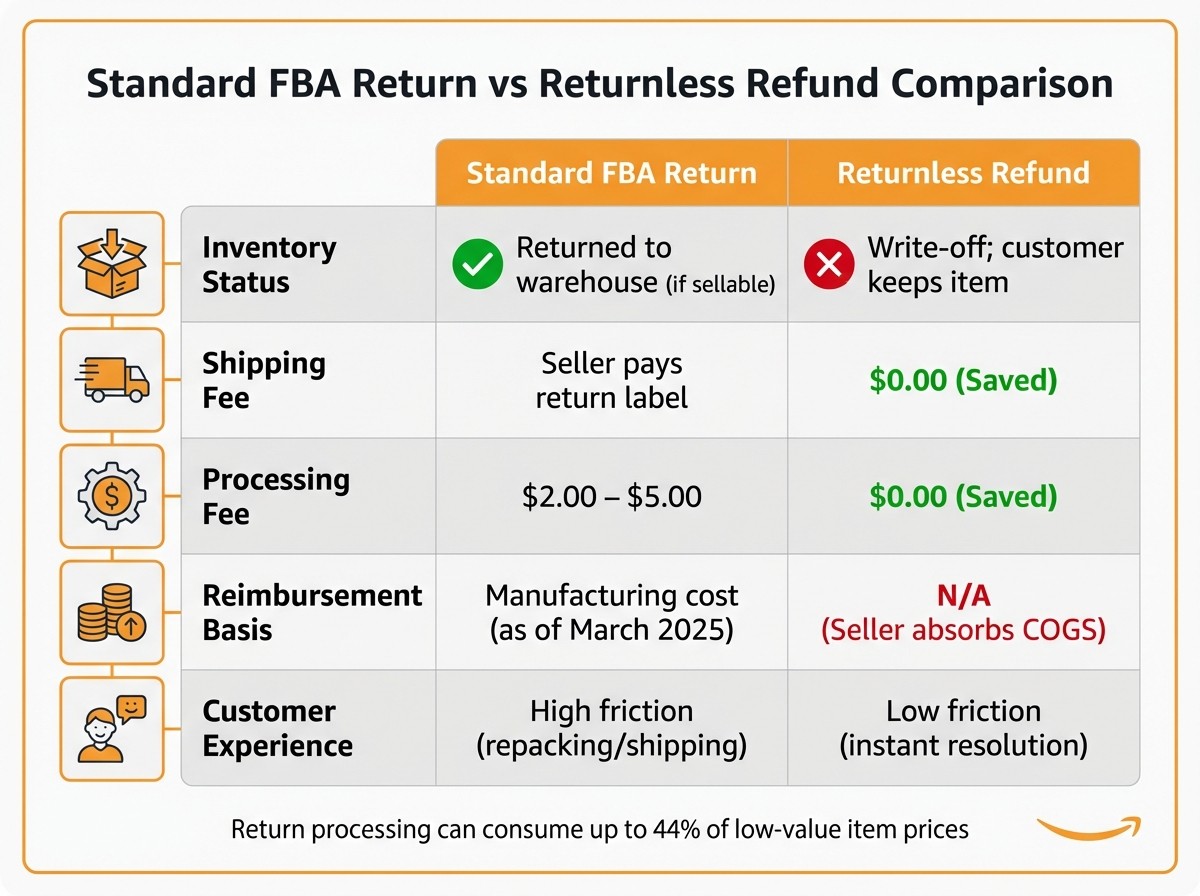
With returnless refunds, sellers face immediate inventory write-offs. When a "keep it" refund is issued, the product is removed from your inventory without any chance to inspect it or resell it. Essentially, you lose both the item and its retail value in one swift move.
The financial strain intensified in March 2025, when Amazon revised its reimbursement policy for lost or damaged inventory. Instead of compensating sellers based on the selling price, Amazon now reimburses only the manufacturing cost, excluding shipping, handling, and customs fees. This shift can slash payouts by as much as 60%. For instance, if you sell an item for $27.99 but the manufacturing cost is $5.40, you'll only recover $5.40 - not the full retail price - if Amazon loses or damages it.
"We'll reimburse you based on the product manufacturing cost of the affected inventory… This excludes shipping, handling, customs duties, or other costs." - Amazon Seller Forums
While this policy change means you absorb the cost of the product, it does save you reverse logistics expenses. These typically include $2.00 to $5.00 in processing fees plus return shipping label costs. For low-margin products priced under $15, a standard return can eat up as much as 44% of the product's value. In such cases, returnless refunds may actually be the less expensive option.
These changes highlight the importance of operational adjustments, which new seller tools aim to address.
New Tools Give Sellers More Control
Amazon has introduced enhanced tools to help sellers better manage refund processes. Instead of applying blanket rules across your entire catalog, you can now customize returnless refund eligibility. This allows you to safeguard high-margin or branded items while automating refunds for low-margin consumables.
The updated dashboard provides insights into past return trends, enabling you to refine your policies. For example, you could permit returnless refunds for "damaged" items but require physical returns for "buyer remorse." There's also an option to set customer-level caps, limiting individual buyers to 3–5 returnless refunds within a 90-day period to curb potential fraud.
To ensure accurate reimbursements, it's crucial to manually input your actual manufacturing costs into the Inventory Defect and Reimbursement Portal. Amazon's automated estimates often undervalue these costs, potentially leaving you shortchanged.
SAFE-T Claims and Extended Refund Processing Times
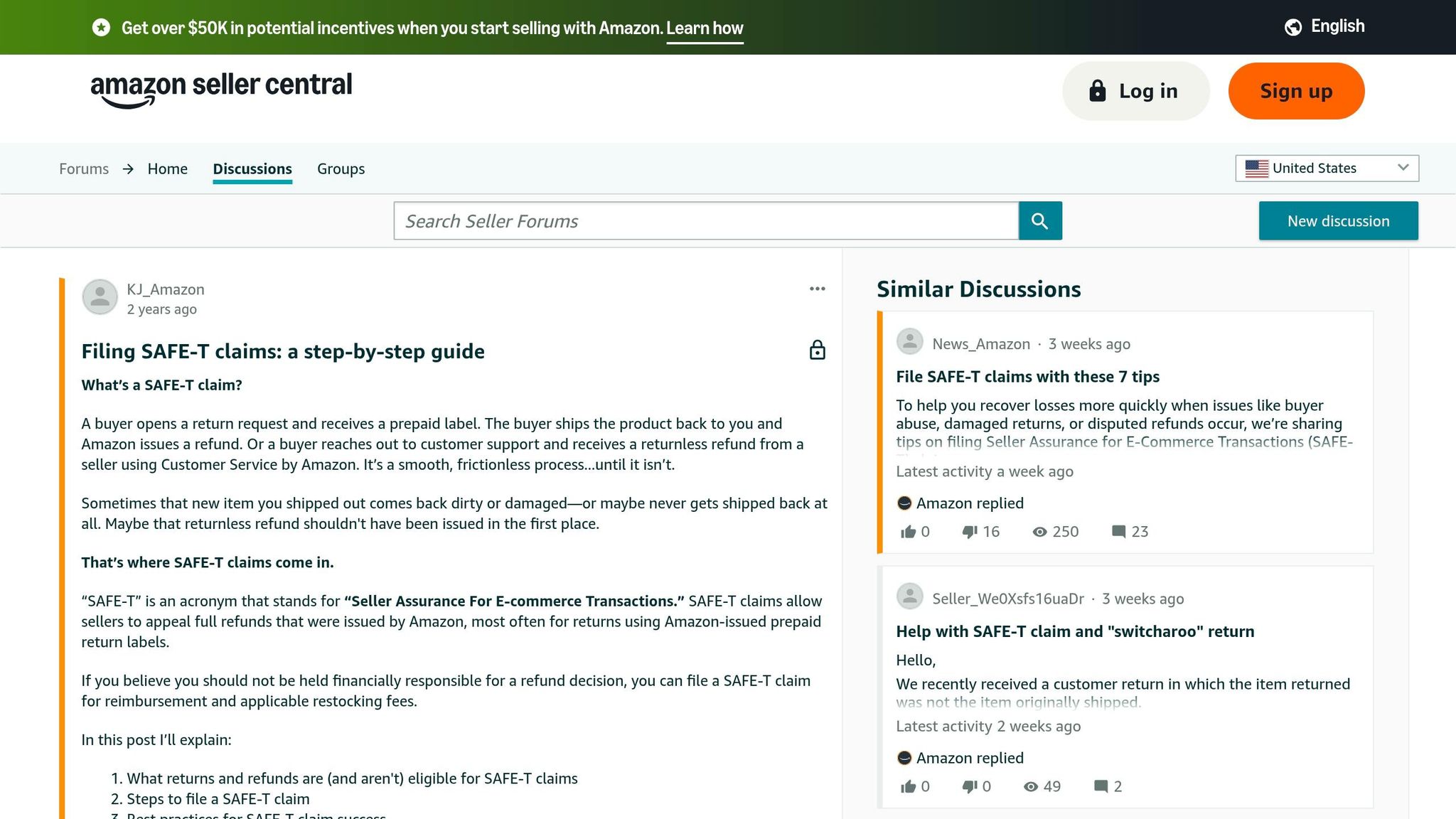
As these operational changes impact inventory and reimbursements, timely filing of SAFE-T claims becomes even more critical. Starting February 16, 2026, the claim window for seller-fulfilled orders will shrink from 60 days to just 30 days. The countdown begins either from the return delivery scan at your warehouse or the refund date, whichever is later. For FBA inventory lost or damaged in fulfillment centers, the filing window remains 60 days.
Failing to meet these deadlines will make you ineligible for any reimbursement. To avoid this, review your FBA inventory reports and return scans weekly. Maintain organized invoices and purchase receipts, as Amazon now demands stricter proof of sourcing costs for claim approvals.
One notable exception: if inventory is lost or damaged after a customer places an order, Amazon continues to reimburse based on the sales price minus standard fees, ensuring you recover revenue for completed transactions.
Feature | Standard FBA Return | Returnless Refund |
|---|---|---|
Inventory Status | Returned to warehouse (if sellable) | Write-off; customer keeps item |
Shipping Fee | Seller pays return label | $0.00 (Saved) |
Processing Fee | $2.00 – $5.00 | $0.00 (Saved) |
Reimbursement Basis | Manufacturing cost (as of March 2025) | N/A (Seller absorbs COGS) |
Customer Experience | High friction (repacking/shipping) | Low friction (instant resolution) |
How Sellers Can Adapt to the New Policy
Set Up and Use the Returnless Refund Dashboard
You can find the Returnless Refund Dashboard in Seller Central under Returns Settings → Returnless Refunds. This tool lets you set price thresholds, exclude specific ASINs, and review past return data. Sellers can configure thresholds between $1 and $75, allowing Amazon to issue returnless refunds automatically within those limits.
To avoid unnecessary losses, calculate your break-even point for each product category. Consider reverse logistics costs - typically $8–$15 for shipping and $5–$12 for handling - and aim to set the refund threshold at about 80% of the break-even point. For instance, if a product costs $10 to manufacture and $18 to process a return, setting the threshold at around $14 could help minimize losses.
For high-margin items like branded goods, electronics, or bundles, use SKU-level controls to exclude them from automatic returnless refunds. On the other hand, low-margin consumables may benefit from this option. You can also target specific return reasons - allow returnless refunds for claims like "defective" or "damaged" on lower-cost items while requiring a physical return for reasons like "changed mind" to discourage abuse.
Don’t forget to audit returns monthly. Look at metrics like refund velocity and margin drift to spot patterns of abuse. Adjust thresholds ahead of high-return periods, such as the holiday season or Q4, to better protect your profits.
Monitor Products with High Return Rates
Use the dashboard to track metrics at the ASIN level, including total returns, return rate, refunds issued, and critical review rates (1-, 2-, or 3-star reviews). If a product’s refund rate spikes above 8%, it might indicate quality problems or inaccurate listings.
Look at the "top return reasons" data to fine-tune your product descriptions and images. For example, if customers frequently return items due to unmet expectations, clearer photos or more accurate sizing details might help. This is especially important now that the return processing fee applies to all sellers starting January 1, 2025.
Segment products into price tiers like $1–$15, $15–$30, $30–$50, and $50–$75. Then, evaluate whether the cost of processing returns outweighs the recoverable value for each tier. For lower-priced products, returnless refunds can be a smart way to cut costs, as traditional returns can eat up 40% or more of gross margins.
Work with eStore Factory for Account Management Support

Managing reimbursements and optimizing listings can be overwhelming, especially with stricter documentation rules and a 60-day filing window for FBA reimbursements. That’s where eStore Factory comes in. Their FBA reimbursement services help track lost or damaged inventory and ensure all claims are filed on time.
In addition, their account management team can enhance your product listings to reduce return rates. By improving images and descriptions, you can lower exposure to Amazon’s return processing fees. Combining listing optimization with regular return rate monitoring helps sellers avoid surprise charges and recover revenue that might otherwise be lost.
Conclusion
Amazon's updated returnless refund policy places a heavier financial burden on sellers through automated decisions, a new dashboard, and stricter reimbursement guidelines. This shift forces sellers to find a balance between automation and tight financial control while managing increased risks.
Sellers who actively engage with the dashboard can better safeguard their profits. By customizing thresholds between $1 and $75 and using SKU-specific controls, they can cut reverse logistics costs - a major advantage, especially since return processing can eat up as much as 44% of a low-value item's price. However, without careful oversight, high-margin products could end up as complete losses.
"In 2025, your refund strategy is your profit strategy. Sellers who manage it deliberately will outperform those who leave it to default settings." - Palmetto Digital Marketing Group
To succeed under these changes, sellers need to focus on active management. This includes regularly reviewing return rates, optimizing product listings to minimize "not as described" claims, and keeping detailed records of sourcing costs. These steps are essential to protect margins and maintain profitability over time.
Whether you tackle these updates on your own or collaborate with partners like eStore Factory for account management and FBA reimbursement support, the priority is to act now. The policy changes are already live, and those who adapt quickly will gain an edge over competitors who delay.
FAQs
How do I choose the right returnless refund threshold for my products?
To determine an effective returnless refund threshold, consider factors like the product's value, the cost of processing returns, and the risk of misuse. For lower-value or difficult-to-resell items, thresholds between $15 and $25 are often ideal, especially when the cost of returning the item outweighs its worth. Keep a close eye on refund rates and use Amazon’s tools to make adjustments as necessary. This approach helps maintain a balance between keeping customers happy and managing operational expenses.
How can I stop returnless refunds on specific ASINs or return reasons?
To prevent returnless refunds for certain ASINs or specific return reasons, you can set up detailed returnless refund rules directly in Seller Central. Starting in 2024–2025, sellers will have more control, with options to define criteria based on SKU, price, category, or return reason. These tools allow you to fine-tune your returnless refund settings, making it easier to handle refunds efficiently.
What documents do I need to win a SAFE-T claim before the 30-day deadline?
To successfully resolve a SAFE-T claim within the 30-day deadline, make sure to gather and submit all necessary documents. These include proof of shipment, delivery confirmation, and any other evidence that supports your claim. The clock starts ticking from one of three points: the return delivery scan, the refund date, or the last scan for lost shipments. Submitting a complete and timely application is key to building a strong case.